
Skip to content
EXTEND YOUR ACCOUNTING WORKFLOW

AR Automation for QuickBooks and Xero


Bill360 connects with QuickBooks Online, QuickBooks Desktop, and Xero to automate the AR work surrounding your accounting system.

Automate invoice follow-up, accept digital payments, simplify reconciliation, and gain better visibility into receivables without replacing the accounting system your team already uses.

Bill360 customers get paid an average of 36% faster than with their previous AR process while reducing time spent on repetitive receivables work.

Reduce Manual AR Work in QuickBooks and Xero

  • Spend Less Time Chasing Payments

    Automate reminders and follow-up so your team can focus on the accounts that need attention most.

  • Make It Easier for Customers to Pay

    Give customers convenient ACH and card payment options, plus self-service tools to manage invoices and payments.

  • Reconcile With Less Manual Work

    Automatically match Bill360 payments to invoices in QuickBooks or Xero and reduce repetitive reconciliation tasks.

  • See What Needs Attention

    Keep invoice, payment, aging, and past-due information connected so your team has a clearer view of receivables.

  • Lower Eligible Visa Costs

    Bill360’s Visa CEDP capabilities can help reduce eligible Visa B2B invoice transaction fees by up to 35%.

  • Get Help When You Need It

    Work with a live, U.S.-based support team for onboarding, platform questions, and ongoing assistance.

Keep QuickBooks or Xero. Automate the AR Work Around It.

Keep QuickBooks or Xero as your system of record. Bill360 adds automation for invoice follow-up, payments, reconciliation, customer self-service, and AR visibility without disrupting the accounting workflow your team already knows.

That means fewer manual steps around receivables without disrupting the accounting process your team already knows.
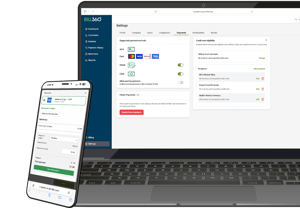
The Bill360 platform can be accessed via desktop or mobile device

QuickBooks and Xero AR Automation FAQs

What is the best accounts receivable automation software for QuickBooks or Xero?

For B2B companies using QuickBooks or Xero, an AR automation platform should integrate directly with the accounting system, automate invoice follow-up, support digital payments, and reconcile payments back to open invoices. Bill360 is built around these workflows and works alongside QuickBooks Online, QuickBooks Desktop, and Xero without requiring businesses to replace their accounting system.

How can I automate accounts receivable in QuickBooks?

Businesses can connect QuickBooks with an AR automation platform that handles invoice reminders, collections workflows, customer payments, and reconciliation. Bill360 integrates with QuickBooks Online and QuickBooks Desktop to extend these receivables processes while keeping accounting data synchronized.

Can invoice reminders and payment reconciliation be automated in QuickBooks or Xero?

Yes. Bill360 can automate invoice reminders and match payments received through the platform with the corresponding invoices in QuickBooks or Xero. This reduces manual follow-up, data entry, and reconciliation work.

Do I need to replace QuickBooks or Xero to use AR automation?

No. Bill360 works alongside QuickBooks and Xero. Businesses can continue using their existing accounting system while adding AR automation, embedded payments, customer self-service, and greater visibility into receivables.

AR automation and payments built for B2B finance teams

Bill360 helps B2B companies automate receivables, simplify payments, and gain greater control over cash flow while continuing to use QuickBooks or Xero.